Your API keys.
Secured forever.
One encrypted vault for every API key across every project and team. Pull them from your terminal, browser, or CI pipeline in seconds.
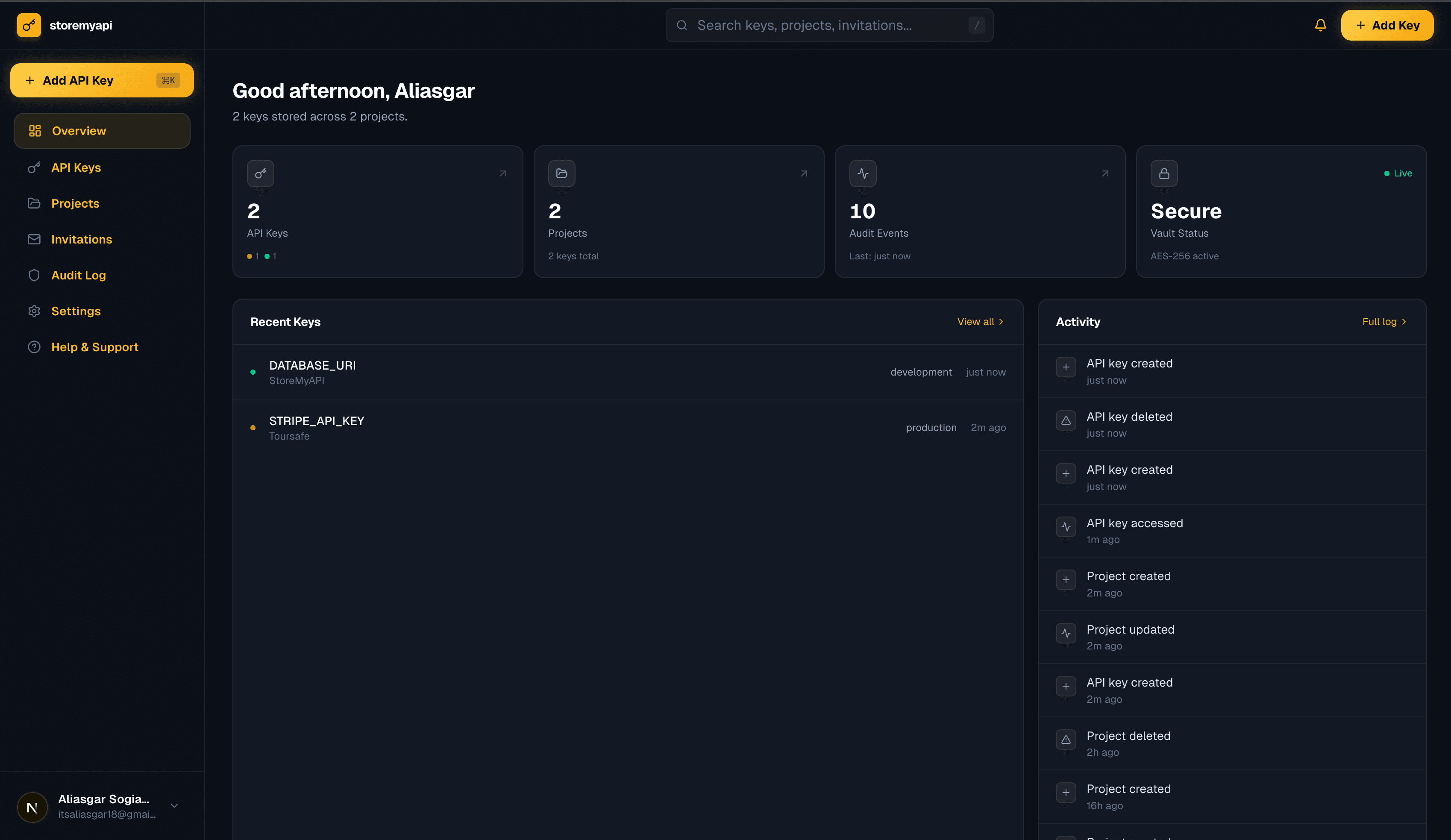
Built for developers who care about security
Features
Everything you need.
Nothing you don't.
A single vault for every secret, encrypted, organised, and accessible from any tool in your stack.
Centralized vault
All your keys in one place. No more digging through .env files scattered across a dozen repos.
End-to-end encryption
Your keys are scrambled in your browser before they leave your device, using AES-256-GCM, the same standard banks use. We literally cannot read them.
Team sharing
Share specific keys with teammates. Control who can view, copy, or manage each secret.
CLI & REST API
Pull keys into your workflow with our CLI or REST API. Works with any CI/CD pipeline.
Project organisation
Group keys by project, environment, or custom tags. Find anything in seconds.
Audit trail
See who accessed which key and when. Useful for compliance and peace of mind.
Security architecture
Client-side encryption.
Zero knowledge.
We scramble your API keys in your browser before they ever leave your device, using AES-256-GCM, the same standard used by banks and governments. The scrambling key comes from a passphrase only you know, so our servers only ever see the scrambled result.
PBKDF2 Keys
Derived from your passphrase
Never stored
One command to rule
all your secrets.
Install once. Push, pull, and inject your keys from any terminal, on any machine.
Install & authenticate
Install the CLI globally and log in to your storemyapi account in seconds.
$ storemyapi loginPush your .env to the vault
Upload all your keys encrypted. They never leave your machine in plaintext.
$ storemyapi pushPull or inject anywhere
Fetch keys into any project, environment, or CI/CD pipeline on demand.
$ storemyapi env run -- npm startWho it's for
Built for every kind of team.
Scales with your workflow.
From solo builders to large engineering orgs, storemyapi fits the way you already work.
- Keep all your project keys in one place
- No more copy-pasting from Notion or Slack
- Switch between projects in one command
- Free tier covers everything you need
- Share keys securely without plain-text messages
- Role-based access per environment
- Onboard new engineers in minutes
- Full audit log of who accessed what
- Inject secrets directly into build runners
- Works with GitHub Actions, CircleCI, Vercel
- No secrets stored in repo or env vars
- One token to rule all environments
- Separate vaults per client project
- Hand off keys safely when project ends
- Never lose a key when switching machines
- Professional credential management
- Keep deployment secrets out of the repo
- Share access with trusted contributors
- Rotate keys without breaking contributors
- Works locally and in CI equally well
- Project-scoped vaults per team
- SOC 2-aligned audit trails
- SSO and SCIM provisioning (coming soon)
- Self-hosted option available
FAQ
Questions we get a lot.
If something isn't covered here, open an issue on GitHub or reach out directly.
Stop scattering keys across
Slack, Notion & .env files.
Takes 30 seconds to sign up. Free to start. No credit card required.
Start for free